Home Wifi Project pt2: NAT
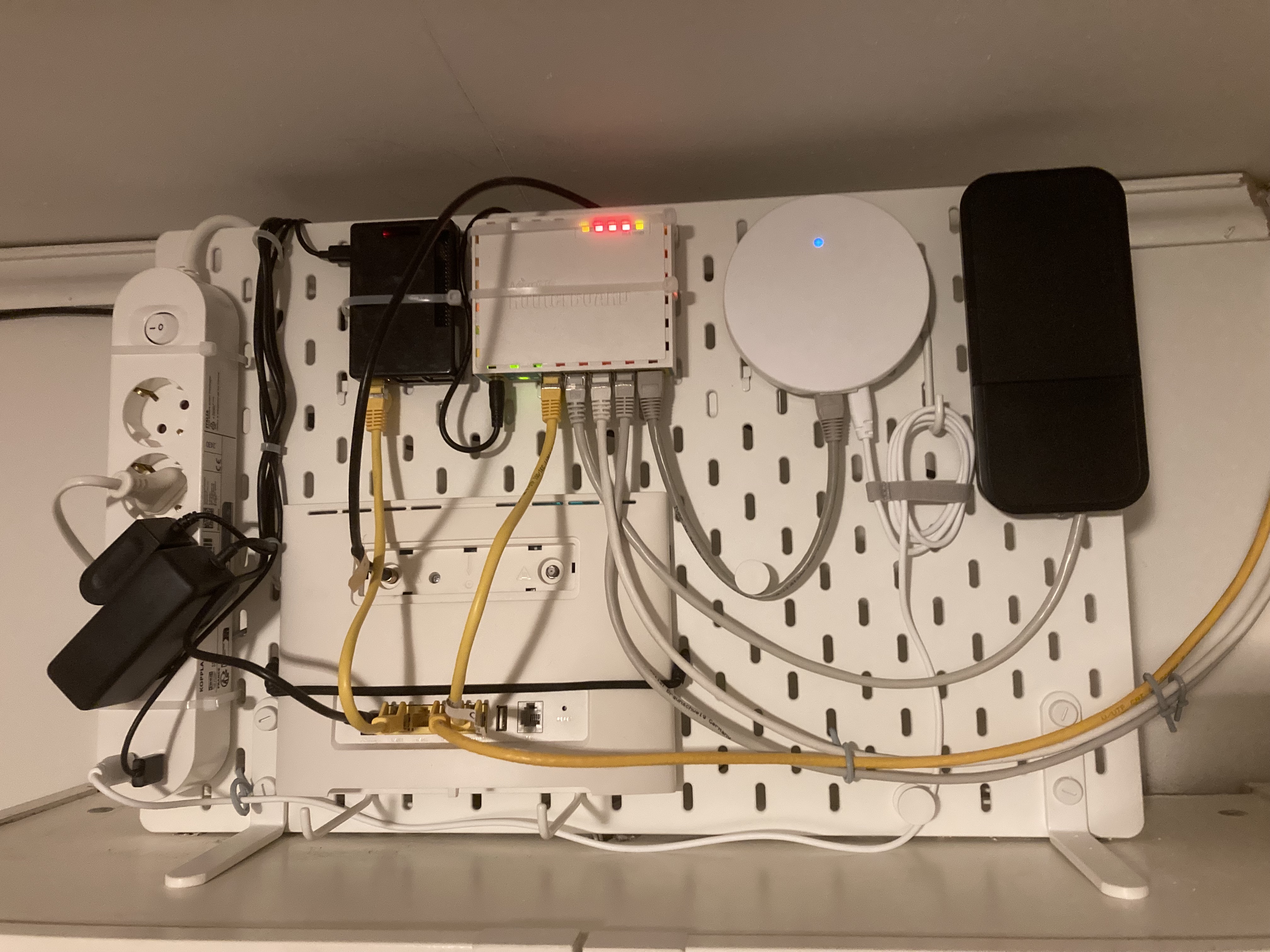 A
A
A summary of what happened since install
This is the long overdue followup to the first post on my home wifi setup. Many months have passed since I set it up and in the beginning it seemed to be working very well. 2.4GHz wifi signal was widely available and my son was able to use the 5GHz network for his VR headset without creating chaos for the rest of the network. Over time some strange strange things started to occur.
2.4 GHz vs Bluetooth
The first unusual issue I ran into was with meetings and YouTube videos. It seemed that sometimes watching a video or joining a call would trigger heavy packet loss. The rest of the network appeared unaffected, other devices in the house could still access the internet via the 2.4GHz wifi, but my laptop was dropping packets and the call quality was very poor. Another odd thing was it never seemed to occur when using the built in speakers in the laptop or while connected to my son’s 5GHz network. I later discovered that bluetooth and 2.4ghz wifi overlap. The setup in the Mikrotik access points allows them to periodically reselect frequencies and this appears to occasionally select an overlapping frequency with what the headphones and Mac use for bluetooth. The mitigation here is to either use a higher 2.4GHz network channel, connect to the 5GHz network or try somehow to switch the frequency bluetooth is using.
Periodic Partial Network Failures
The more perplexing problem than the bluetooth overlap was random network outages. Randomly, though ususally when the network was being rather heavily used, websites would stop responding, ssh sesisons would fail, but streaming video and calls would continue. Rebooting the Huawei router would restore the network. Using the prometheus exporter for the Huawei router I was able to get some data around signal levels and channels for the 4g/lte network. There was no strong correlation between channel and the failure, but I locked the modem to the channel with the highest rx performance. Oddly, the web interface of the Huawei router would not be reachable during the network failures. There were clues…
The Rookie Mistake
I should know better. The clues should have been obvious and it was certainly a problem I had run across before working with satellite links and networking. Most home routers are setup to do Network Address Translation. My naive assumption was that layering NATs would not have any adverse effects, if the NAT can handle the few devices connected to it normally, it should handle those same devices connected via a single address as well. What ended up happening was that the NAT table in the Huawei router was exhausted after a few days of operations. The sessions in the Huawei were not expiring fast enough or something in the behavior of the sessions initiated by the MikroTik NAT caused the them to stay alive far too long. Switching the Huawei between Cone and Symmetric NAT would resolve the issue, as the NAT table would reload, but it was only resolving the symptom and not the cause. I ended up switching the Mikrotik setup to bridge the connections to the Huawei network and let the Huawei handle the NAT.
PSU Failures and Cable Dilemma
Just before summer the Mikrotik Hex router stopped working. Since there were no indicators lit on the router, I hooked a multimeter to the power supply and didn’t see any voltage coming from it. I managed to find a spare power supply but it didn’t appear to have enough amps in it to power the router and the 3 APs so I disabled PoE on two of the ports and got things working again.
Troubleshooting the PoE issues while trying to use the spare power supply I found a few serious mistakes on my part. First off, the MikroTik HEX PoE lite router is meant for passive PoE. This means 24v power instead of 48v. Watt’s Law tells us that 48v would be the better choice for this application, especially with long network cable runs. Compounding this issue was a factor I overlooked when buying the cable for the APs. The cable I purchased was perfectly good network cable but it was never designed for PoE applications since the conductors were CCA or Copper Coated Aluminum. Since the signal travels in the copper layer on the outside of the steel core, the cable is perfectly fine for network signal, but the steel core is not a good conductor so it is a poor choice for PoE applications, especially at 24v. I had to check the receipt from the cable I purchased:
Twisted Pair, U/UTP 4x2xAWG24/7 CCA
Once again, I had a problem that I commonly encountered when working with satellite networks that I had now inflicted upon myself. Back when I worked with VSAT terminals, customers would often run into issuse getting Block Up-Converters (Transmitters) to work on relatively short cable runs. Nearly every time it stemmed from the use of copper-coated steel center conductors in their coaxial cable. Cables would meet the signal performance requirements but have far too much resistance for the modem’s DC power supply to drive the BUC. Now I had done the same to myself. Copper coated aluminum is a poor choice for PoE. Weirdly, the AP on the longest cable run has the lowest current draw: 30mA or around 0,6W where the other two shorter runs are drawing around 1W each. Since I don’t have a baseline on the current consumption for these APs, I can only speculate as to why the longest run draws the least. I have planned some upgrades to the 4G/5G/LTE antenna and will have to upgrade the ethernet cables at the same time.
TL;DR
- Double NAT is always a bad idea.
- PoE should be 48V
- If you are going to power devices via cable, coax or twisted pair, make sure you have a copper conductor.
